Home | Services | Portfolio | Products | Links | Contact

Previous    ICD's Consulting Portfolio:   Next
Installing the BBI CD80 Digital Retrofit
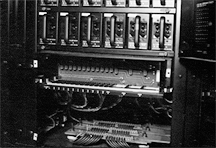
Step 1: Empty the card cage of its original contents. Step 1: Pull the original cards out of the cage.
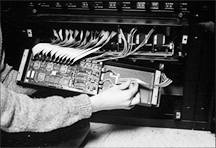
Step 2: Insert the new driver and power supply cards. Step 2: Insert the BBI replacement cards.
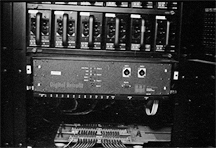
Step 3: Plug in the front panel Step 3: Plug in the front panel.
Step 4: Attach the front panel Step 4: Attach the front panel using the convenient thumbscrews.
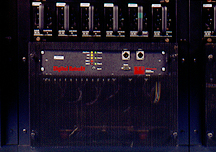
Step 5: Attach the front grille Step 5: Attach the front grille the same way. Installation is complete!

Photos © 1997 Mark Jensen

Click here to return to the CD80 Retrofit page.

Hardware and Software Consulting:
Please contact Intelligent Control Devices for all of your hardware and software design needs!

Intelligent Control Devices
Telephone: (715) 682-9673
Email: Click here for our email form.

CD80 Retrofit Sales and Service:
ICD does not manufacture or support the CD80 Retrofit, which is a product of BBI Engineering. Please contact them directly for more information or help regarding their product line. Thank you.

BBI Engineering, Inc.
Email and Telephone: Click here for their contact information page.
Website: http://www.bbinet.com/

Home | Services | Portfolio | Products | Links | Contact